OBD2 app for iPhone. Your car, at a glance.
Dashwise shows live engine data from a Bluetooth or Wi-Fi OBD adapter, reads fault codes, keeps a trip logbook and times laps, all private on your iPhone.
No account. No ads. No tracking.
Four screens. Everything your car reports.
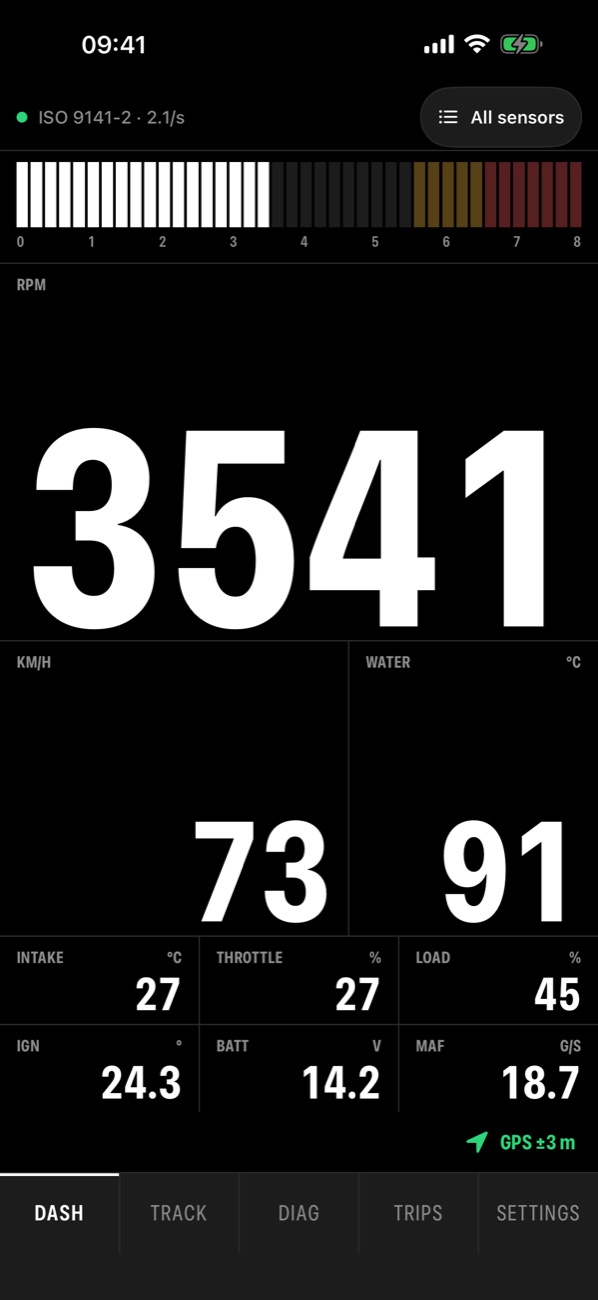
Dash. Large numerals and a smooth rev bar with redline zones. 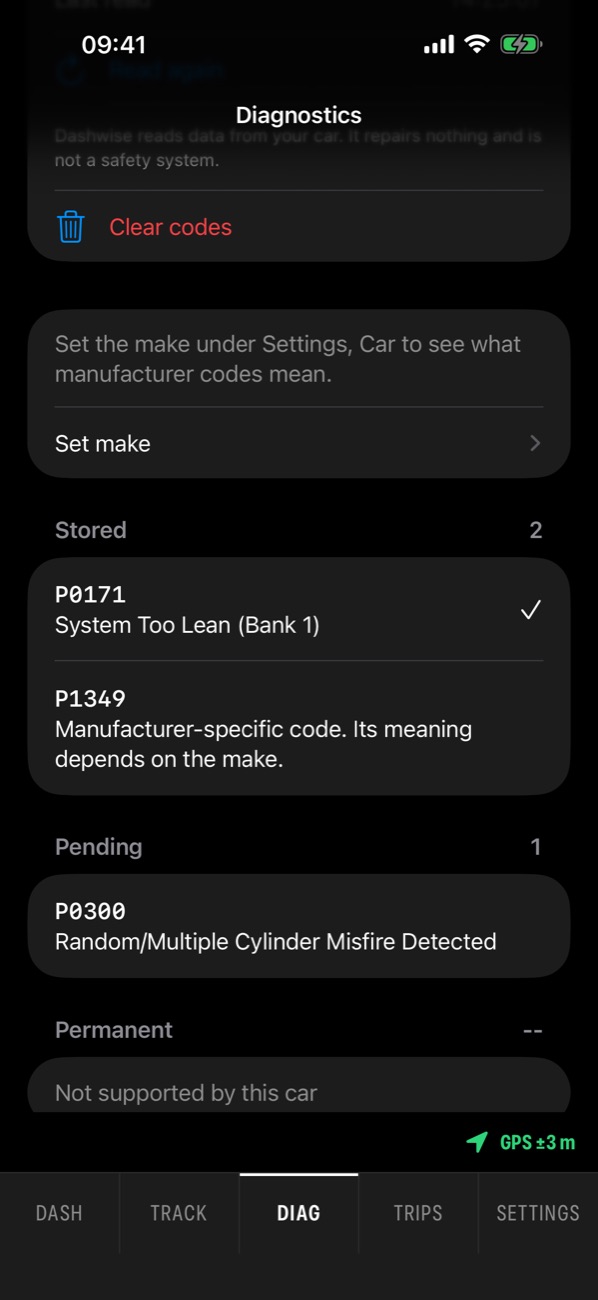
Diag. Fault codes in plain English. 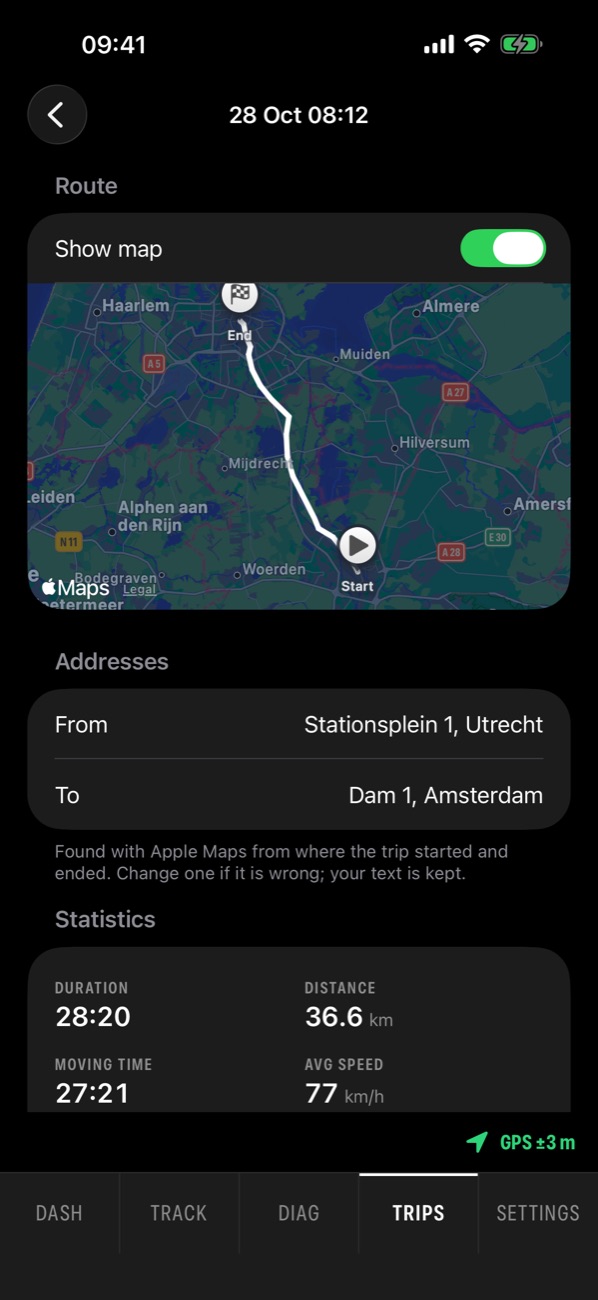
Trips. Every drive with its route and addresses. 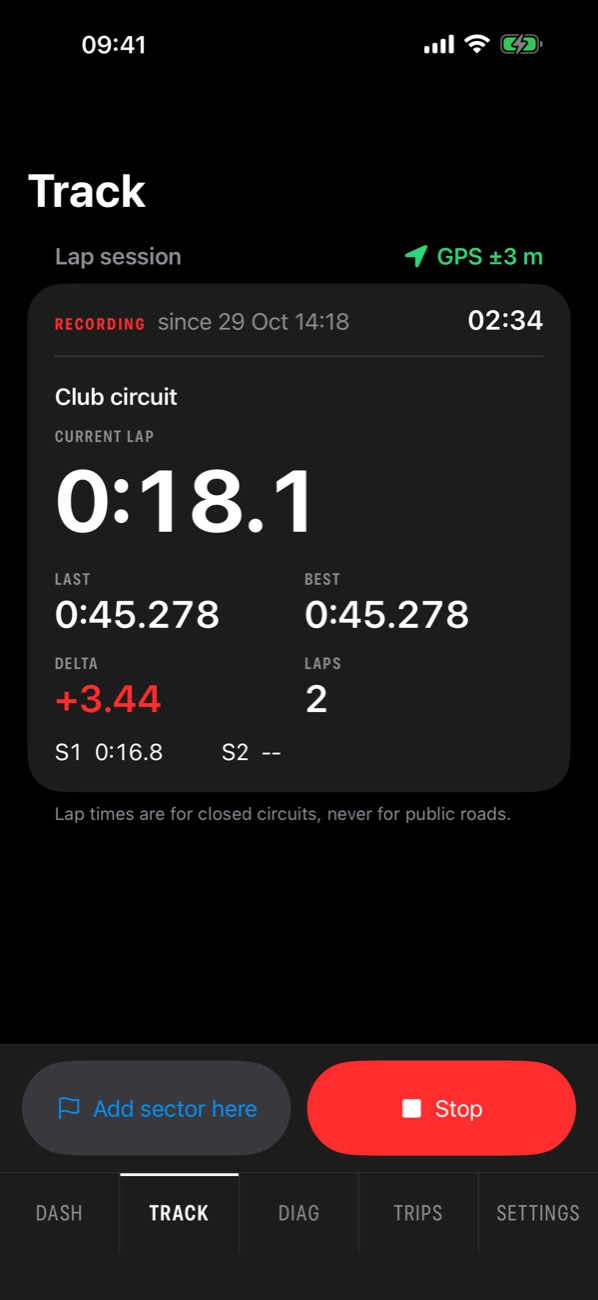
Track. GPS lap timing with a live delta.
Made for the drive and the garage.
Warnings with your own limits
Set limits for coolant, voltage and rpm. A calm coloured frame, a banner and an optional tone tell you when a value goes out of range.
Fault codes, cleared safely
Stored, pending and permanent codes, readiness monitors and freeze frame data. Clearing works only with the engine off, after two confirmations.
Trip logbook and mileage log
Trips are recorded automatically or by hand, with route and addresses. Export a mileage log for your employer, or GPX, VBO and CSV.
Lap timing for circuits
Your own start/finish and sector lines, best lap, last lap, live delta and a shift light. Meant for circuits, not public roads.
Lock Screen and CarPlay
A Live Activity shows your key value and warnings on the Lock Screen and in the CarPlay Dashboard.
Nine themes
Nine themes and five cluster styles for day and night, your own accent colour, and the screen Dashwise opens with.
Your data stays on your iPhone.
No account, no ads, no tracking. Your trips and engine data are never uploaded.
- Engine data and trips are stored on your device only
- Map images come from Apple Maps while a trip's map is on screen; the route itself is never sent
- Only the start and end points of a trip are sent to Apple to look up their addresses
What you need: an OBD adapter and a car.
An adapter
A Bluetooth LE or Wi-Fi OBD-II adapter that works with iPhone. See the support page for details.
A car
A car with an OBD-II port: most petrol cars from 1996 in the US and 2001 in the EU, diesels from 2004.
Not Classic Bluetooth
Classic Bluetooth adapters without "Made for iPhone" support cannot connect to an iPhone. This is an iOS limit, not a Dashwise one.
No adapter yet? Try Dashwise with the built-in simulator. Which OBD2 adapters work with iPhone
Frequently asked questions.
More help: Dashwise support
Does Dashwise work with my car?
Most likely, if it has an OBD-II port: that covers most petrol cars from 1996 in the US and 2001 in the EU, and diesels from 2004. Which values show depends on what your car reports. Dashwise was tested on a Toyota Corolla (ISO 9141-2, K-line) with a Bluetooth LE OBD adapter.
Which OBD2 adapters work on iPhone?
A Bluetooth LE or Wi-Fi OBD adapter. Classic Bluetooth adapters without Apple's "Made for iPhone" chip cannot connect to an iPhone; that is an iOS limit. See which adapters work.
Can I read and clear fault codes with Dashwise?
Yes. Dashwise reads stored, pending and permanent diagnostic trouble codes with plain-English descriptions, plus readiness monitors and freeze frame data. Clearing codes only works with the engine off and after two confirmations.
Can I use Dashwise as a trip logbook?
Yes. It records trips automatically or by hand, with distance, duration, top speed, the route and start and end addresses, and exports them to GPX, VBO or CSV, plus a mileage log you can send to your employer.
Does Dashwise collect my data?
No. There is no account, no analytics, no ads and no tracking. Engine data and trips stay on your iPhone. Only the start and end points of a trip are sent to Apple to look up their addresses. See the privacy policy.
Is there an Android version?
Not yet. An Android version will follow and will look and work like the iPhone app.
Get Dashwise for iPhone.
Requires iOS 26 or later.
Dashwise shows what your car reports. It is not a replacement for your car's own warning lights or for a professional diagnosis. Keep your eyes on the road and let a passenger operate the app while driving.
Android version coming soon.
The Android app will look and work exactly like the iPhone app.